

Commercial Claw Machine Maintenance: A Practical Schedule
Commercial claw machines may operate for many hours in busy retail and entertainment venues. Regular maintenance helps operators identify problems early, maintain a clean customer experience, and reduce avoidable downtime.
The correct maintenance routine depends on the machine model, usage intensity, environment, and manufacturer's instructions. The schedule below is a starting point that operators can adapt to their equipment.
1. Daily Visual and Operational Checks
Before opening or at the beginning of each operating day, staff should check the machine's visible condition and basic functions.
Recommended checks include:
Inspect the cabinet for visible damage.
Check that the prize compartment and access doors are properly closed.
Look for loose decorations or exposed wiring.
Confirm that the display and lighting operate normally.
Check that the control buttons respond as expected.
Test the payment system using the approved procedure.
Confirm that the claw moves through its expected range.
Check for unusual noises, movement, or error messages.
Remove dust, fingerprints, and debris from accessible surfaces.
If a machine behaves abnormally, follow the manufacturer's troubleshooting instructions. Do not continue operating equipment that presents an electrical, mechanical, or customer safety concern.
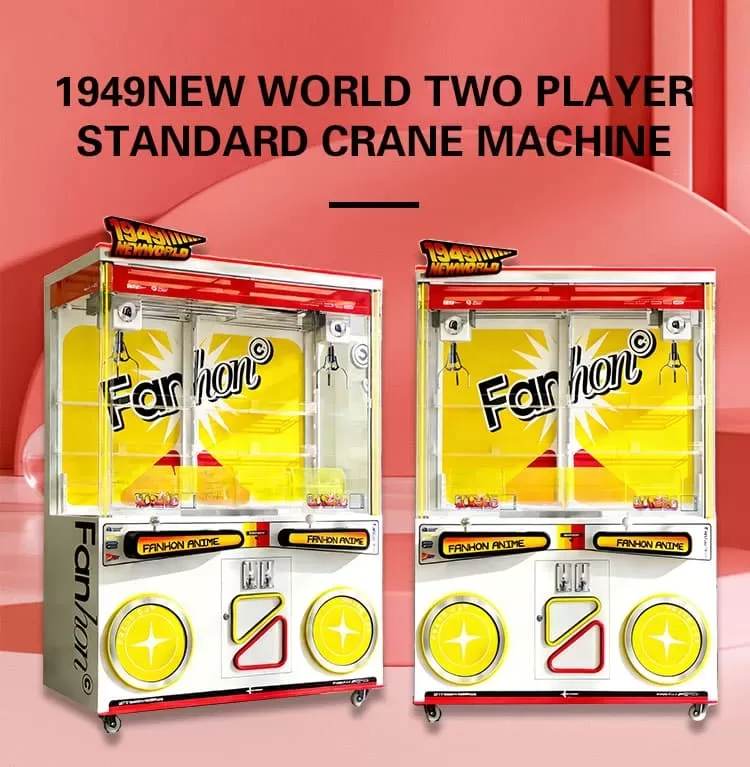
2. Check Prizes and Cabinet Organization
Prize presentation affects the appearance of the machine and the customer experience.
During daily checks, confirm that prizes are suitable for the machine's opening, are arranged neatly, and do not obstruct the claw's movement.
Look for objects that are too large, too heavy, or incorrectly positioned for the cabinet. Remove damaged or unsuitable prizes and restock the machine according to its operating guidelines.
Staff should also check whether the prize door, chute, and accessible compartments are free of obstructions.
3. Weekly Cleaning and Inspection
A weekly inspection can provide a more detailed review than the daily opening check.
Depending on the model and operating conditions, the following tasks may be appropriate:
Clean accessible glass and cabinet surfaces.
Remove dust from approved ventilation areas.
Inspect visible cables and connectors for signs of damage.
Check the condition of buttons, handles, and other frequently touched parts.
Inspect the claw assembly and accessible moving components for obvious wear.
Check prize chutes and doors for obstructions.
Review payment errors or recurring customer complaints.
Confirm that cabinet graphics and labels remain legible.
Follow the manufacturer's cleaning instructions. Avoid spraying liquid directly onto electrical components, and do not use chemicals that could damage the cabinet or its finish.
4. Monthly Preventive Maintenance
Monthly checks should focus on trends, wear, and issues that may not be obvious during daily operation.
Operators can review:
Maintenance logs and recurring faults
Payment acceptance problems
Unusual movement or mechanical noise
Loose external fittings
Visible wear on accessible components
Lighting or display failures
The condition of ventilation areas
Spare parts and maintenance supplies
The frequency of technical inspections should be adjusted to the machine's actual usage and the manufacturer's recommendations. High-traffic machines may require more frequent checks.
Electrical servicing, internal repairs, and adjustments to mechanical or control systems should be carried out only by qualified personnel following the correct service procedures.
5. Create a Maintenance Log
A simple maintenance log helps operators identify repeated problems and plan service work.
| Date | Machine ID | Issue or check | Action taken | Follow-up |
|---|---|---|---|---|
| ______ | ______ | ______ | ______ | ______ |
| ______ | ______ | ______ | ______ | ______ |
| ______ | ______ | ______ | ______ | ______ |
Record the model, serial number where applicable, error codes, replaced parts, and any recurring symptoms.
If several machines experience the same issue, the records may help you identify a common cause, such as a payment configuration, environmental condition, or maintenance procedure.
6. Keep Suitable Spare Parts Available
A small, well-planned stock of compatible spare parts can help reduce delays when repairs are necessary.
The appropriate inventory depends on your machine models and the supplier's recommendations. Before purchasing parts, confirm compatibility with the specific machine and control system.
Ask the manufacturer about:
Part numbers and identification
Compatibility across different models
Recommended maintenance supplies
Ordering and delivery lead times
Technical documentation
Warranty implications of repairs
Do not assume that visually similar components are interchangeable.
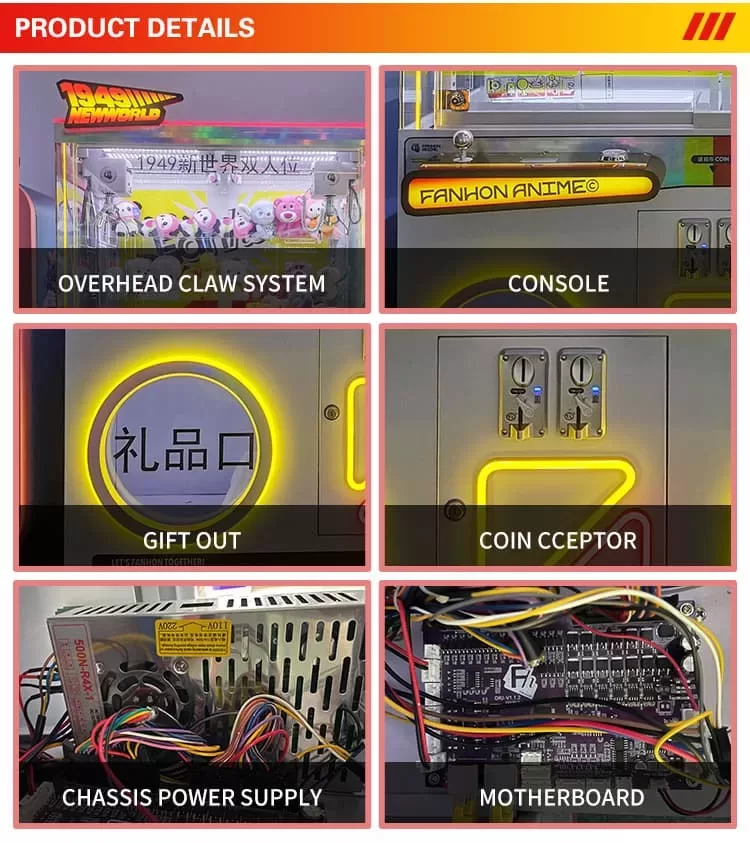
7. Common Problems and First Checks
The following table outlines basic checks. It is not a substitute for model-specific service instructions.
| Symptom | Initial check |
|---|---|
| Machine does not power on | Check the approved power connection and visible supply indicators |
| Payment is not accepted | Confirm the payment method and inspect for visible obstruction or error messages |
| Buttons do not respond | Check for visible damage and restart only according to the manual |
| Claw movement is irregular | Stop operation if needed and consult the manufacturer's troubleshooting instructions |
| Lighting is not working | Check visible settings and report persistent faults |
| Prize chute is blocked | Follow the approved procedure to clear the obstruction safely |
Disconnect power before performing any maintenance that requires access to internal components, following the manufacturer's instructions. Never bypass safety features or attempt repairs beyond your training.
8. Train Staff to Follow Consistent Procedures
A maintenance schedule works best when employees understand their responsibilities.
Create a short checklist for opening, cleaning, prize replenishment, fault reporting, and closing. Train staff to recognize abnormal behavior and know when to stop using a machine and contact a technician.
Employees should not open electrical enclosures, adjust internal components, or attempt complex repairs unless they are authorized and trained to do so.
9. Ask About Maintenance Before Buying
Maintenance requirements should be considered before selecting a commercial claw machine.
Ask your supplier for the user manual, routine cleaning guidance, recommended inspection intervals, available spare parts, and after-sales contact process.
It is also helpful to understand the warranty conditions and which tasks must be performed by qualified technicians.
Fanhong Arcade Factory: Equipment and Support
Fanhong Arcade Factory is based in Panyu, Guangzhou, China. We supply commercial claw machines and other arcade equipment for business buyers.
Before ordering, buyers can discuss machine specifications, customization options, packaging, and available after-sales support. Confirm model-specific maintenance requirements and spare parts availability when requesting a quotation.
Visit our factory profile or explore our arcade solutions.
Frequently Asked Questions
How often should a claw machine be maintained?
Basic visual checks and cleaning can be performed daily, with more detailed inspections scheduled weekly or monthly according to usage and the manufacturer's instructions.
Can I clean a claw machine while it is operating?
Clean only the surfaces and areas permitted by the manufacturer. For any task involving moving parts, internal access, or electrical components, follow the prescribed shutdown and safety procedures.
Which spare parts should an arcade operator stock?
This depends on the machine model, usage, and supplier recommendations. Ask the manufacturer for a compatible parts list rather than assuming that generic parts will fit.
What should I do if a machine repeatedly malfunctions?
Record the symptoms, error messages, and circumstances. Stop using the machine if there is a safety concern, then follow the manual or contact qualified service personnel.
Contact Us for Machine Information
Looking for commercial claw machines for your arcade or retail venue? Ask us about available models, technical specifications, and after-sales support.
Website: https://www.hxt5.com/
WhatsApp: +86 199 2830 9481